NOTION WHITEBOARD
AI-Assisted Canvas Turns Scattered Ideas Into Clarity
Role
Sole UX Designer
UX Researcher
Product Manager
Duration
4 Months
tools
Figma
Miro
Google Drive
SKILLS
User Interview
Usability Testing
Wireframing
Prototyping
Product Management
OVERVIEW
Notion is a go-to productivity tool, known for its powerful block-based system that excels at organizing information.
But… people don’t start thinking in blocks. They think messily.
Early-stage brainstorming, sense-making, and visual exploration often feel constrained within rigid this structure. As a result, users leave Notion for external tools, breaking the promise of the all-in-one workspace.
SOLUTION SNAPSHOT
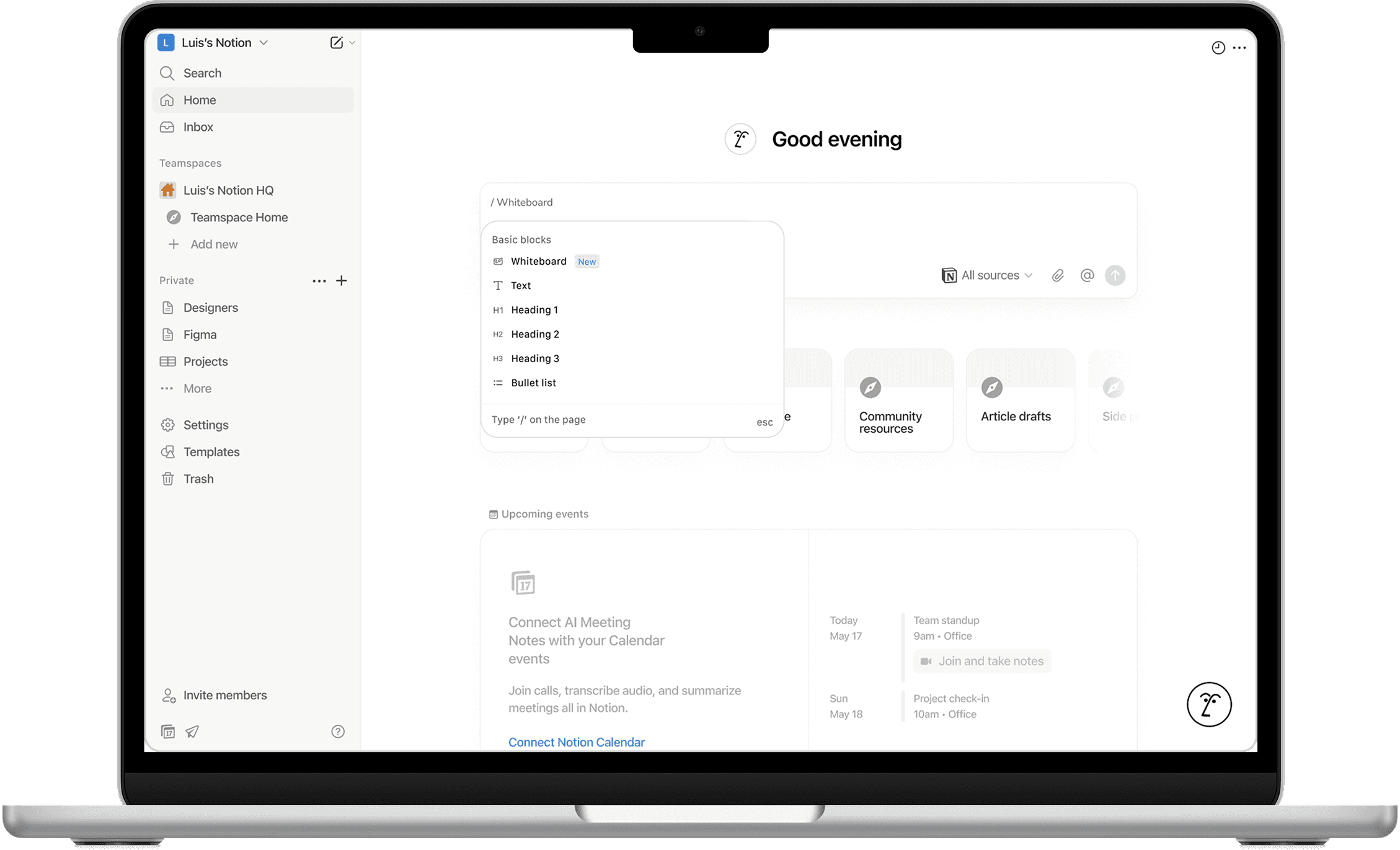
Notion Whiteboard is a free-form, AI-powered canvas that extends Notion beyond blocks, helping users think, organize, and create in one all-in-one workspace.
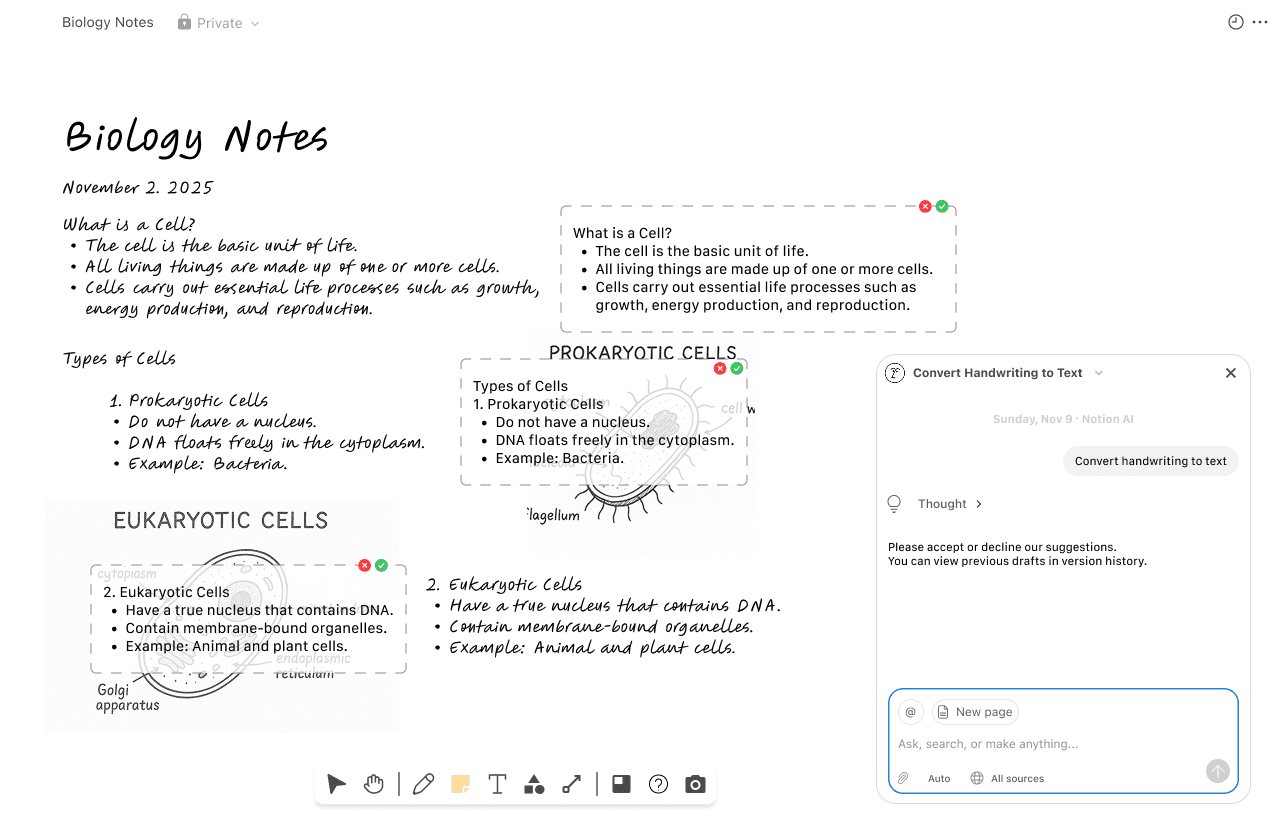
Handwriting Conversion
Support seamless cross-device ideation by transforming handwritten input into editable text, allowing users to selectively convert only what they choose.
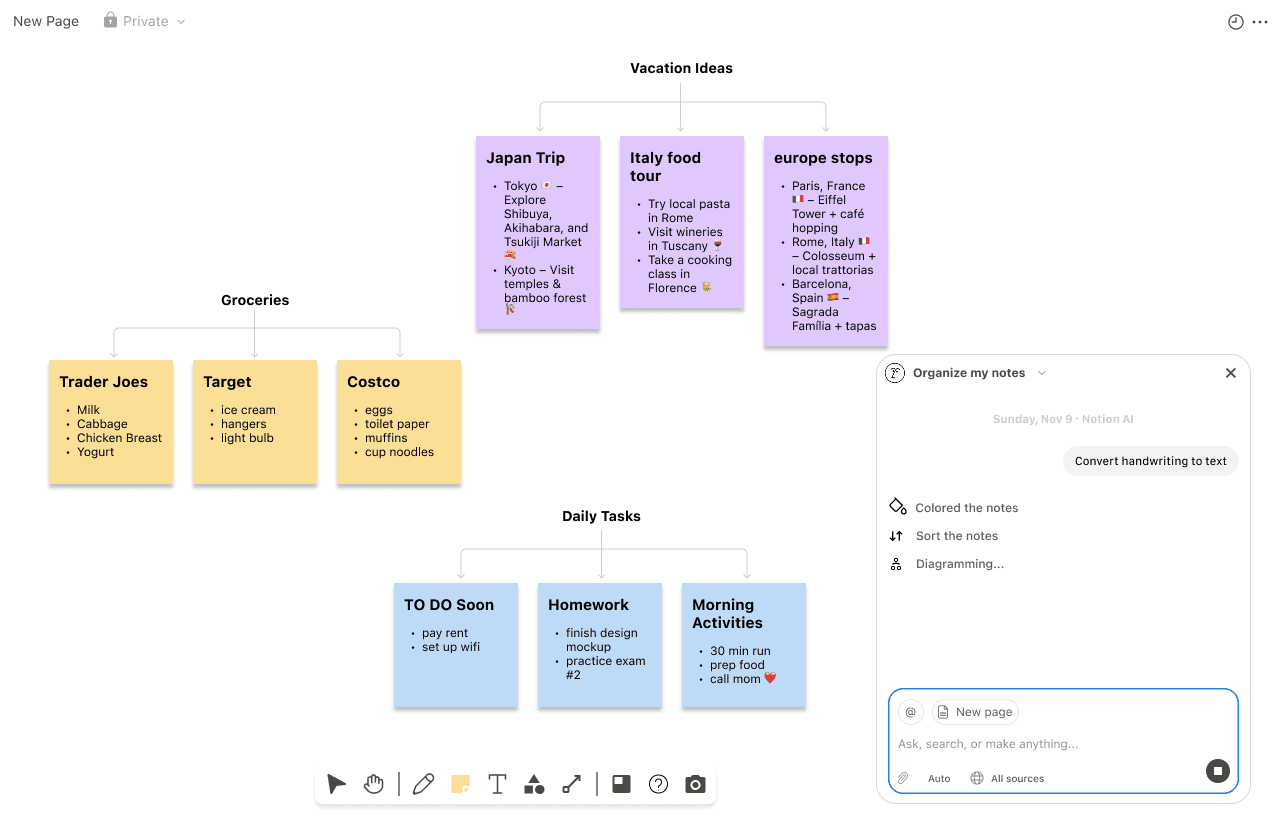
AI-Assisted Organization
Cluster notes by theme, color-code groups, and categorize ideas to help users organize and make sense of their thoughts
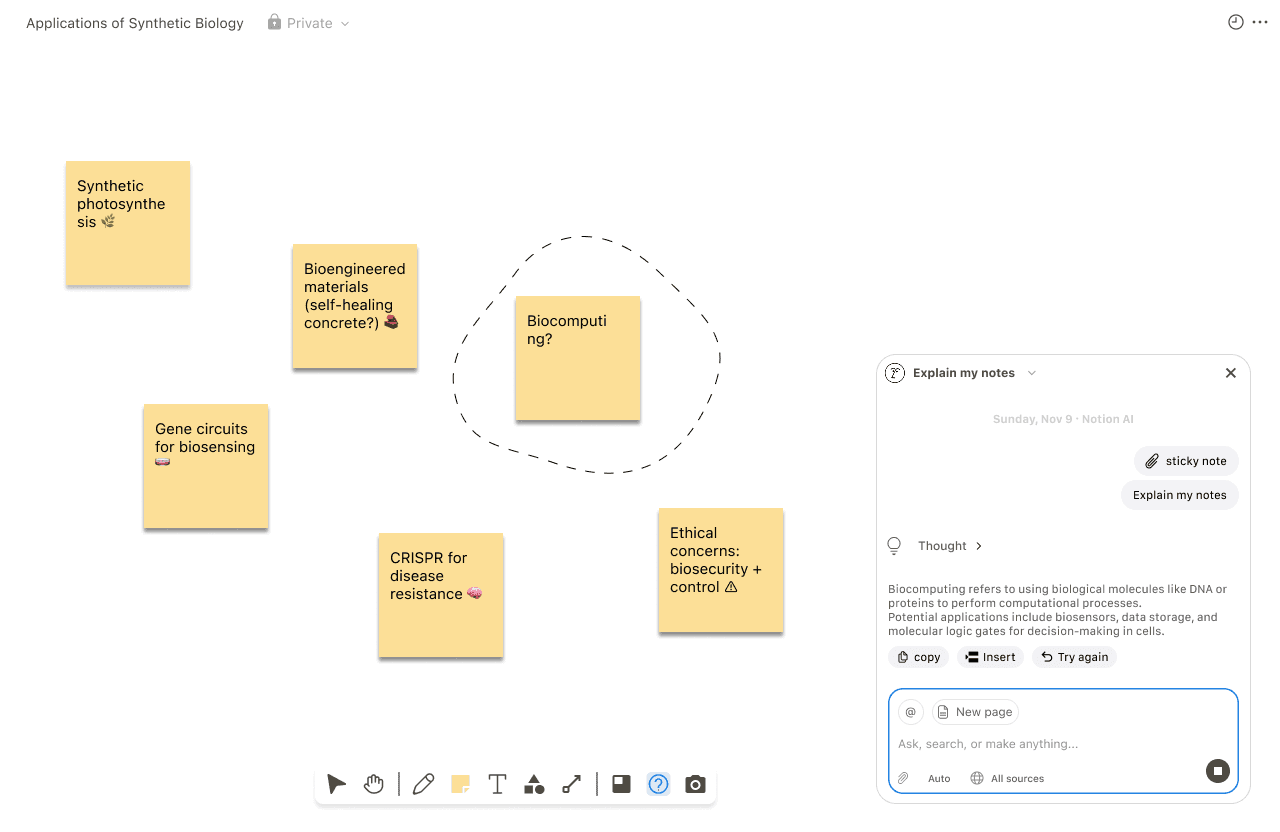
AI Explanation
Designed AI-assisted explanations that clarify unfamiliar terms in context, allowing users to apply new knowledge directly within their workflow
Exploratory research
🤔 But first... How did we get to these features?
To explore this question, I began with 8 user interviews with current Notion users to investigate where opportunities may exist.
✅ Users love the centralized organization that is searchable, connected, and structured.
“When I manage employees across multiple departments, I want to consolidate their tasks from different databases into a single unified view.”
“Notion was the only tool that could be built to 'have all of those' features in one place, combining project management, documentation, and databases.”
“I personally use Notion to organize both my personal projects and work, as it helps me categorize information and manage my progress.”
❌ Difficult learning curve into advance features
❌ AI output was generic, not supporting workflow
❌ Collaboration disrupted across platforms
❌ Structured block system felt too rigid
❗️Which of these problem spaces should we prioritize?
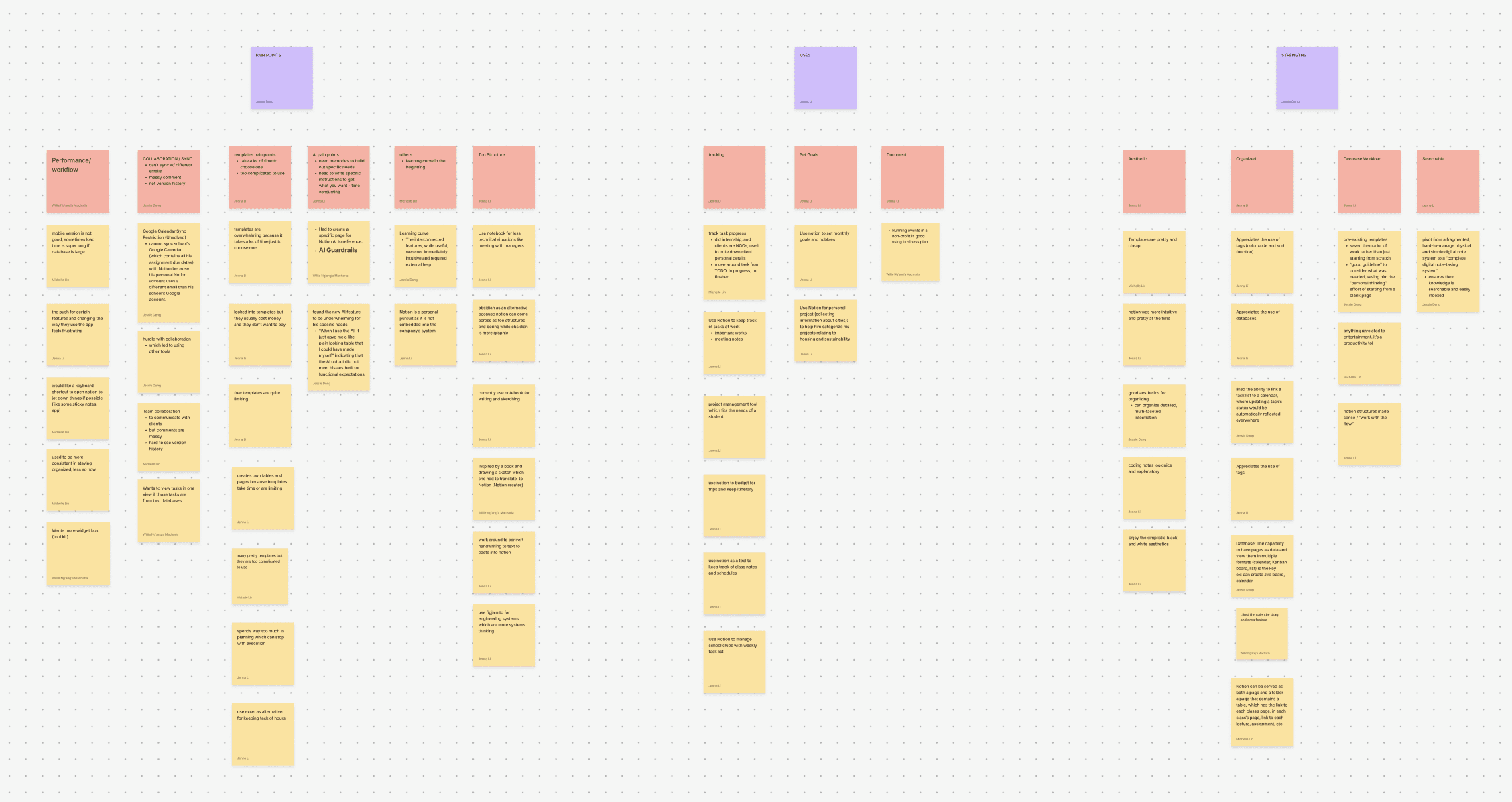
Well, user interviews generated a wide range of pain points, so we used affinity mapping to synthesize findings, identify recurring themes, and prioritize the most impactful opportunities.
Affinity Mapping
“I switch to FigJam when I’m doing system design because Notion doesn’t really support the kind of freeform ... thinking ...”
“In class, I use my iPad and stylus in GoodNotes since it’s much easier to sketch equations and diagrams than trying to force them into Notion’s structured format.”
“If I want to capture something handwritten, I have to run it through another image-to-text tool first and then paste it into Notion—it interrupts my flow.”
🛠️ Feature Direction: Flexible brainstorming through free-form ideation tools
6 of 8 participants described leaving Notion during brainstorming, turning instead to competitors, or even pen and paper, because Notion’s structure felt too restrictive for creative thinking. Online forums echo the same frustrations.
JObs To Be Done
“
When…
I want…
So I can...
Competitive Analysis
💭 Now that we have a concept, we need to understand how are other tools solving this problem?
We looked at competitors and mapped them out using a Gartner Magic Quadrant to understand how these tools differentiate themselves in terms of vision and capability.
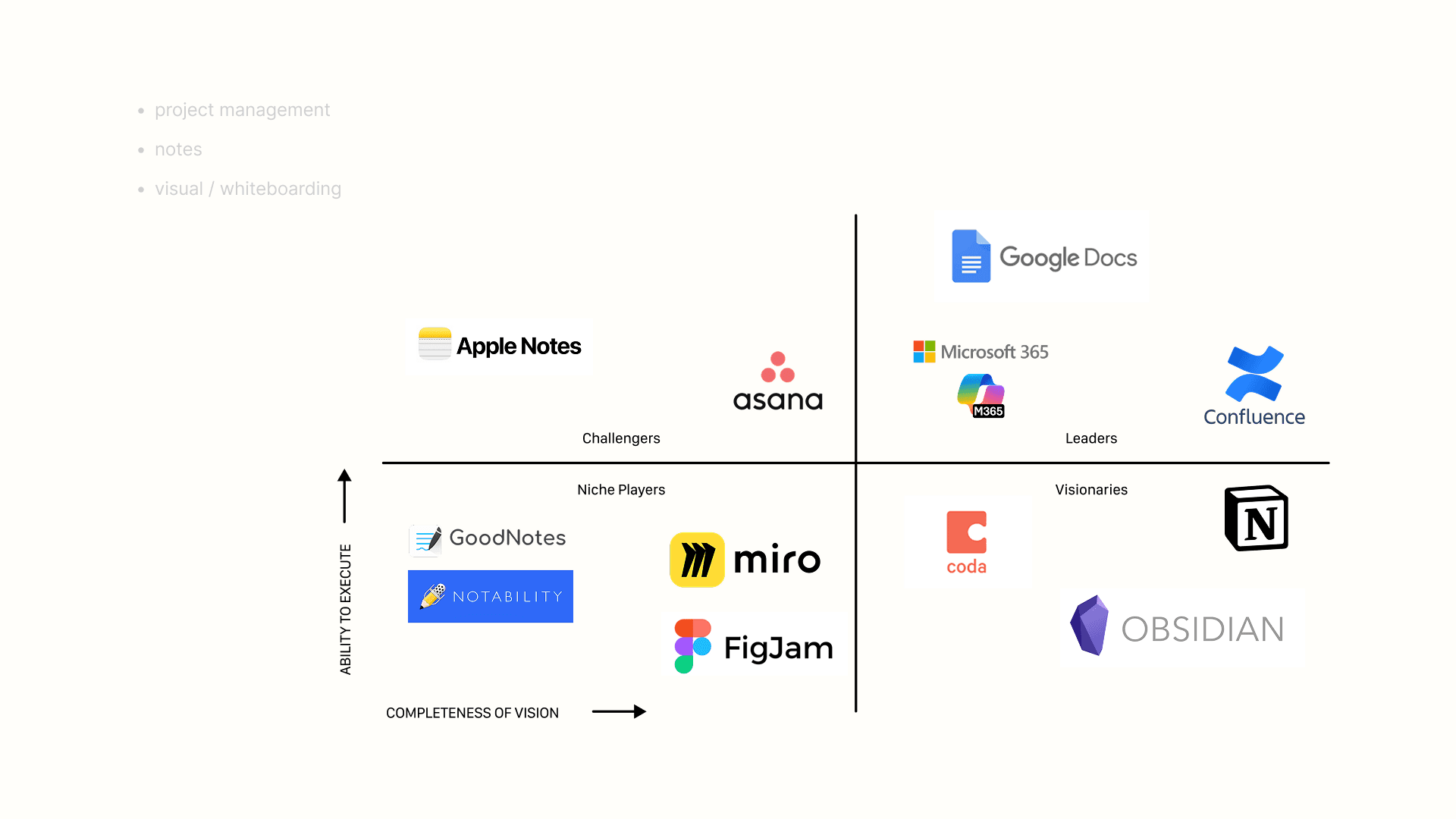
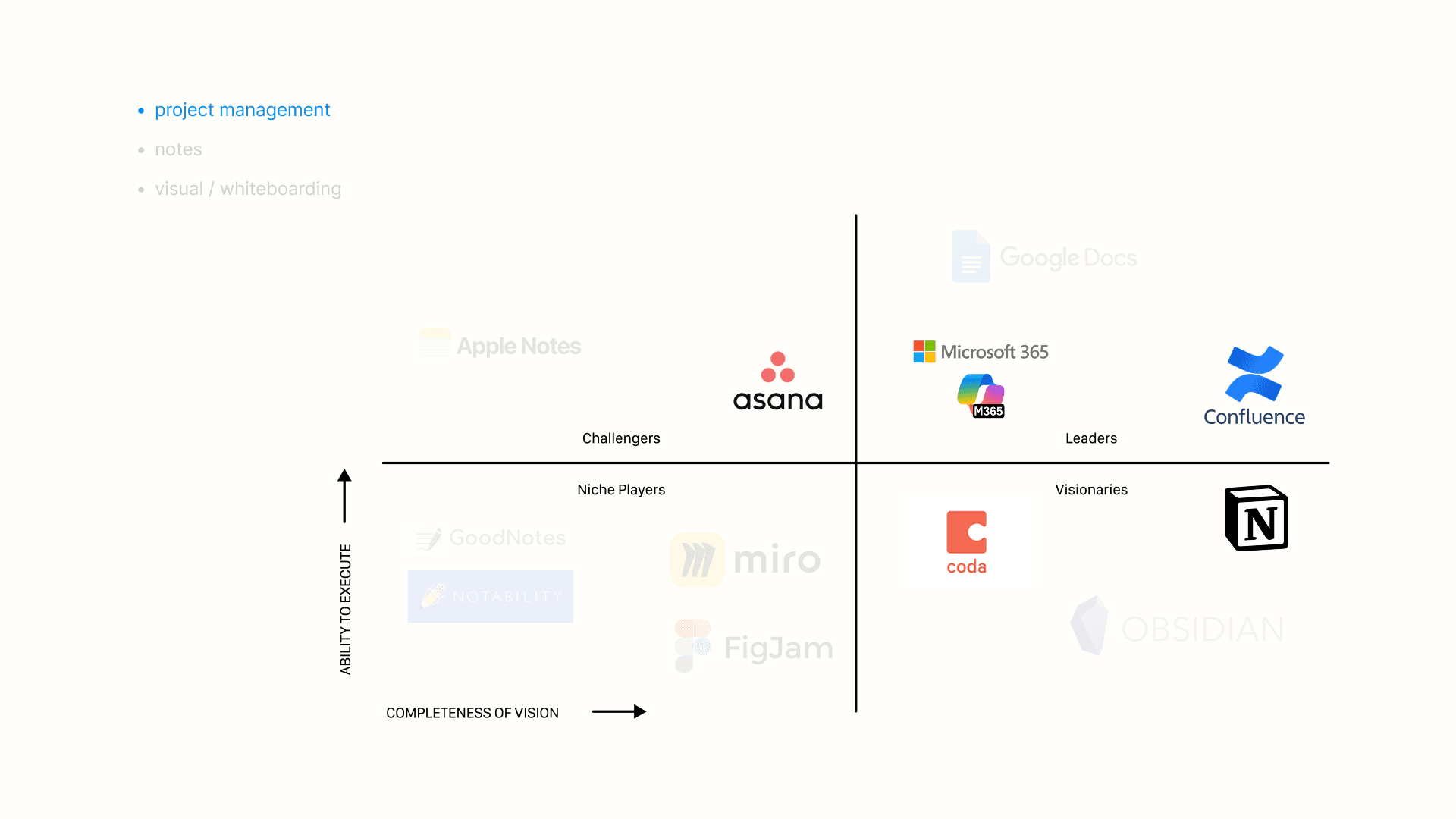
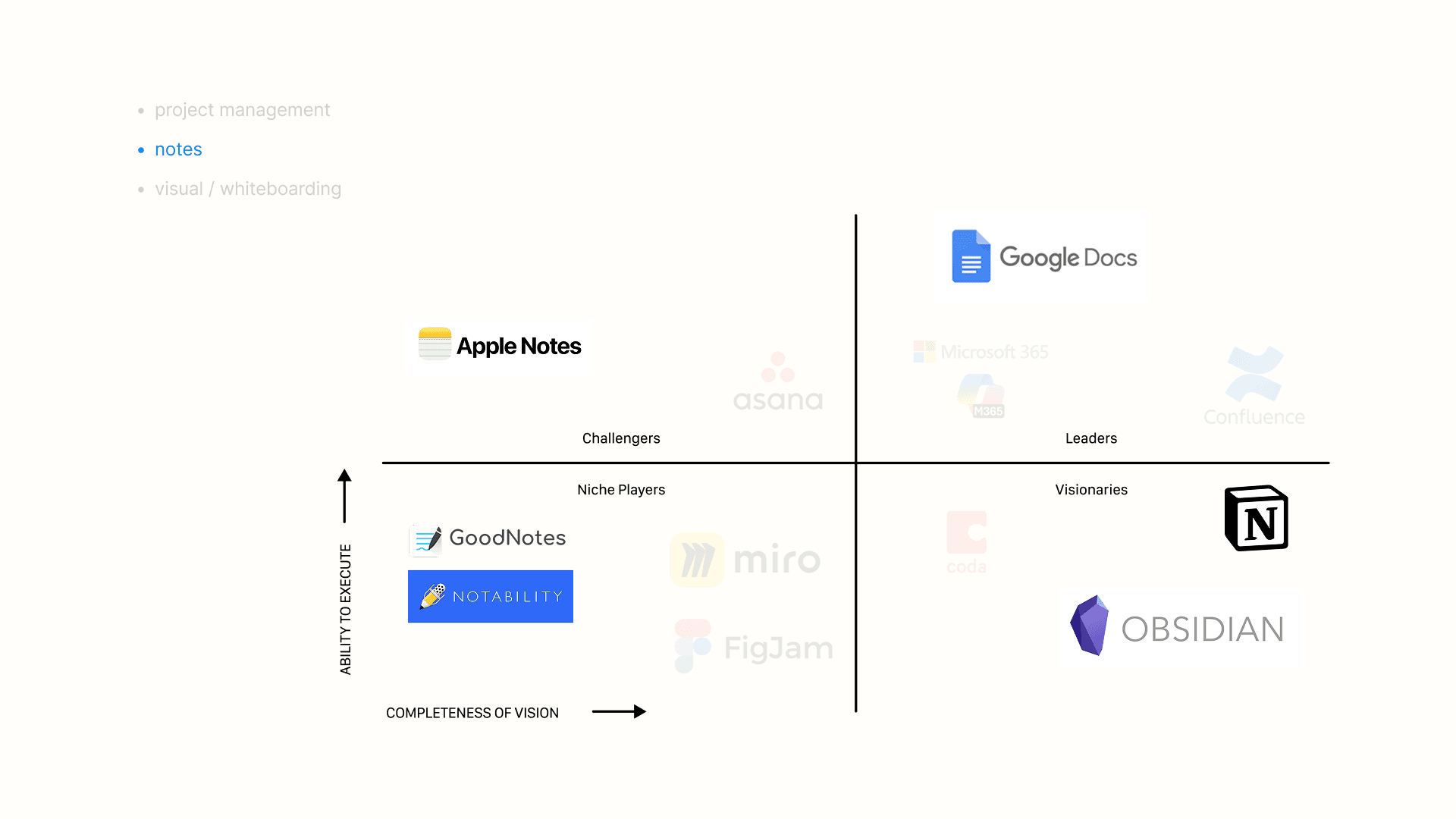
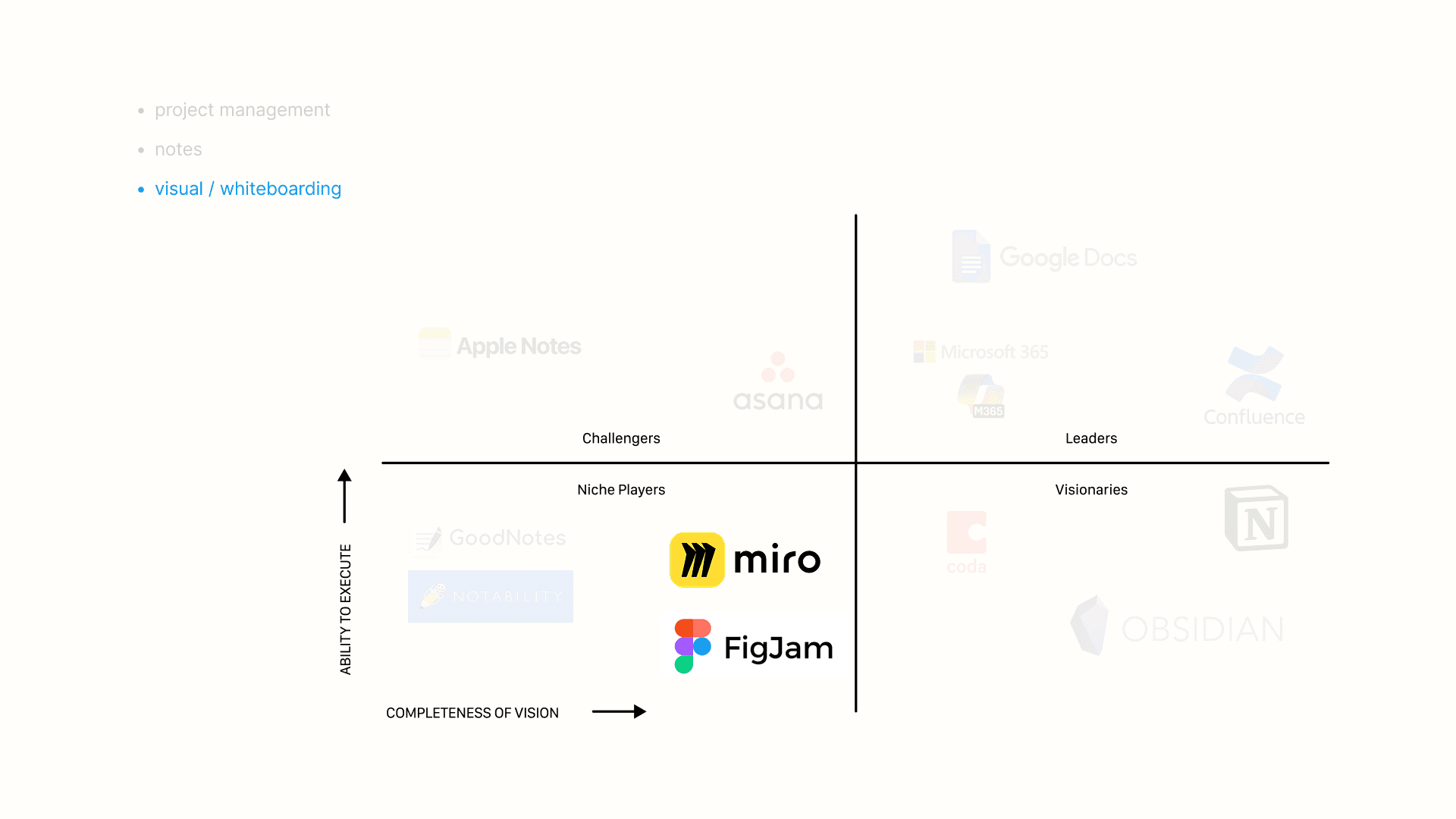
Notion spans
three distinct product categories:
Project Management
Confluence + Microsoft =
⭐️ AI-powered productivity
Notes
Google Docs + Apple Notes = ⭐️ Easy entry
GoodNotes + Notability =
⭐️ Handwriting Support
Visual / Whiteboarding
Miro + FigJam =
⭐️ Visual and Spatial thinking
DESIGN Process
♻️ We worked in agile cycles, one week of design followed by a week of 8 usability testing, with two testing rounds per cycle to ensure resonance.
Feature 1: Establishing the Entry Points
Iteration 1: Starting a new page type through buttons
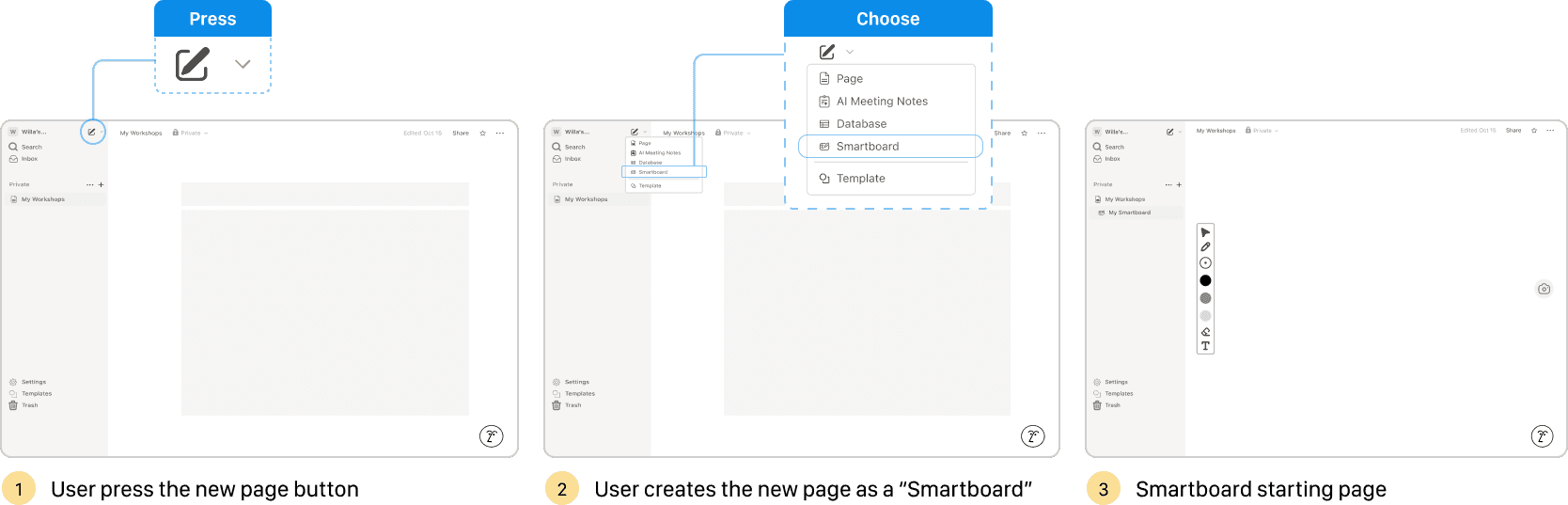
USABILITY TEST INSIGHT
Frequent Notion users are use the command line to start a new page
Iteration 2: incorporate command line start
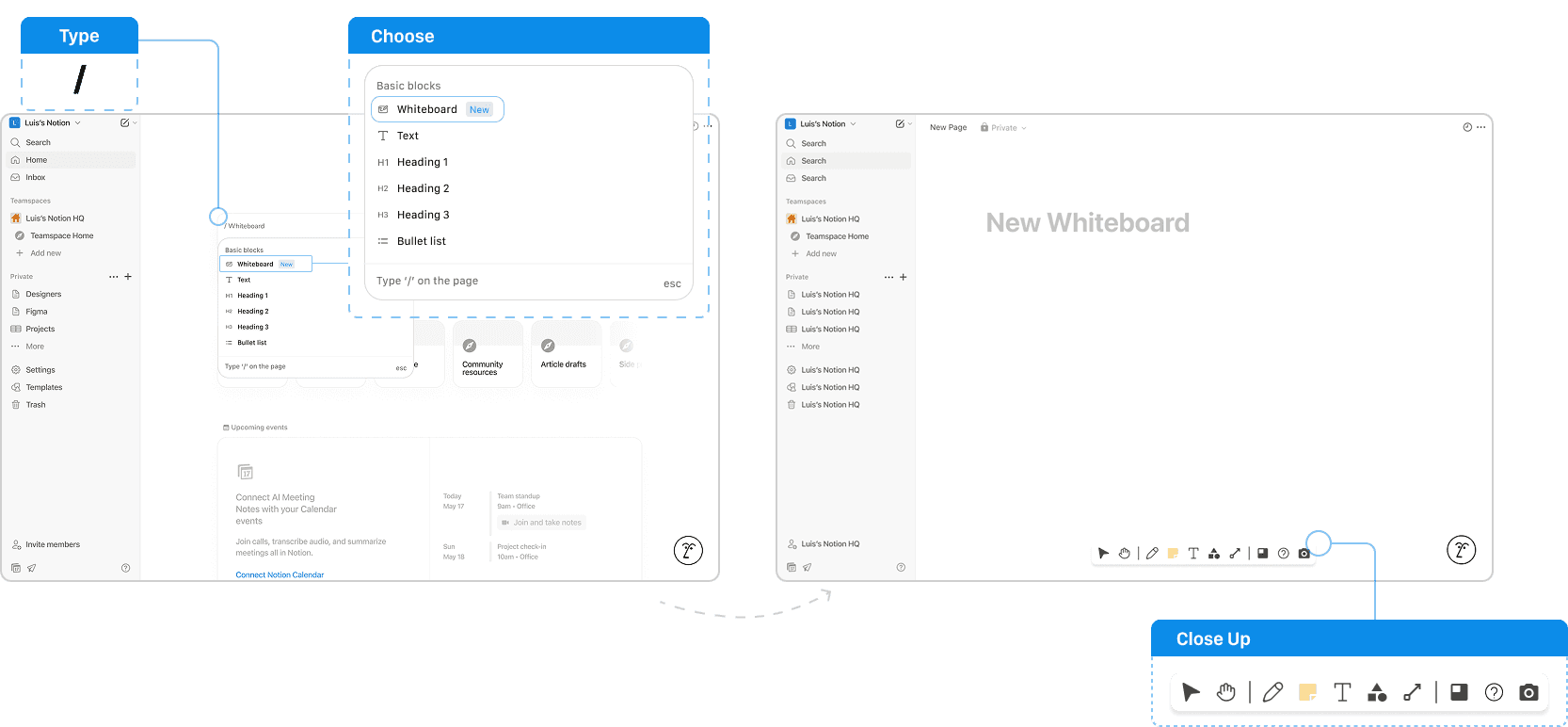
Feature 2: Capture Handwriting to Text
Iteration 1: handwriting text as ai feature
USABILITY TEST INSIGHT
Users want side-by-side comparison of handwriting and suggested text before committing.
Iteration 2: Side-by-Side comparison
Feature 3: Organizing Notes
Iteration 1: handwriting text as ai feature
USABILITY TEST INSIGHT
User’s don’t understand AI “thought” process.
Iteration 2: SIMplified language
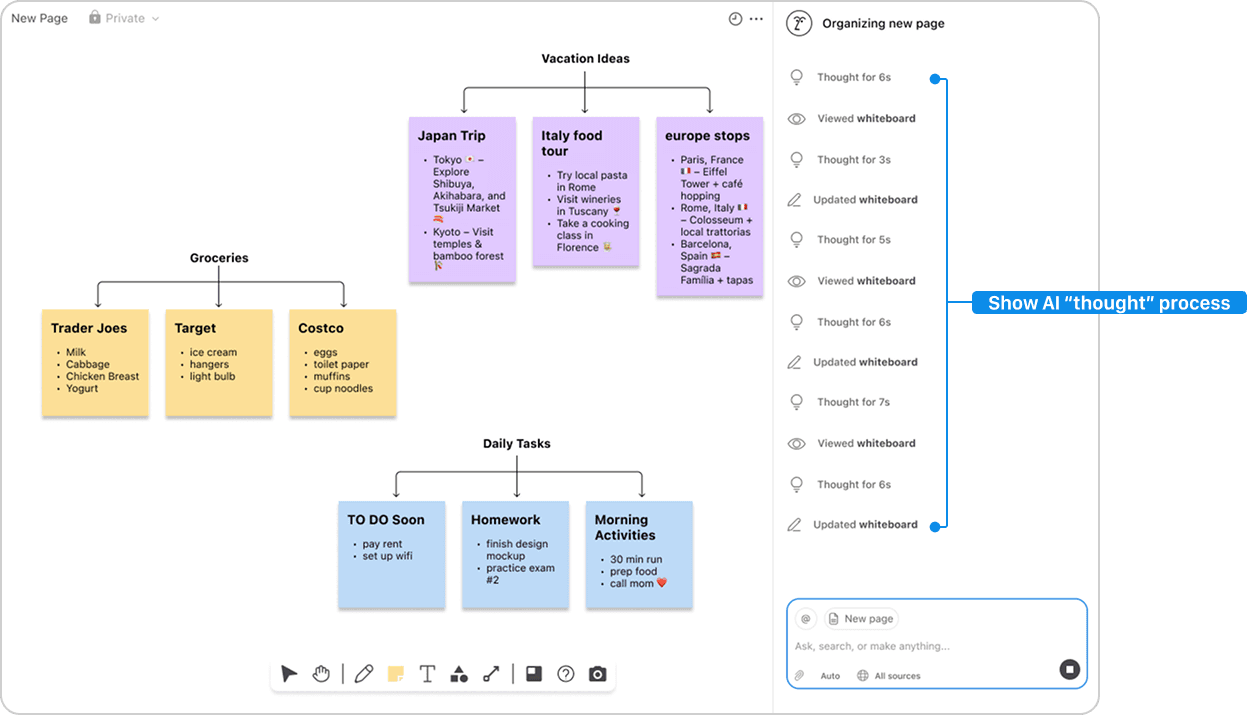
Before
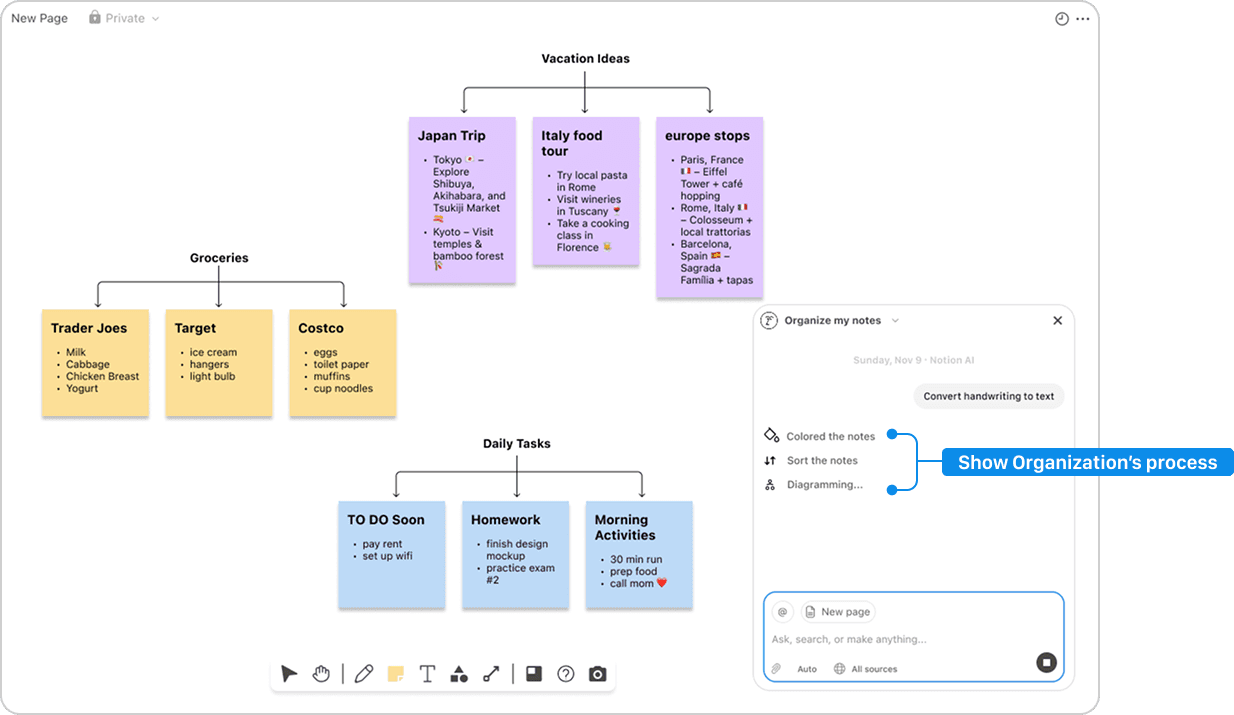
AFTer
Feature 4: AI Explanation
Iteration 1: Question tool to Explain concept
USABILITY TEST INSIGHT
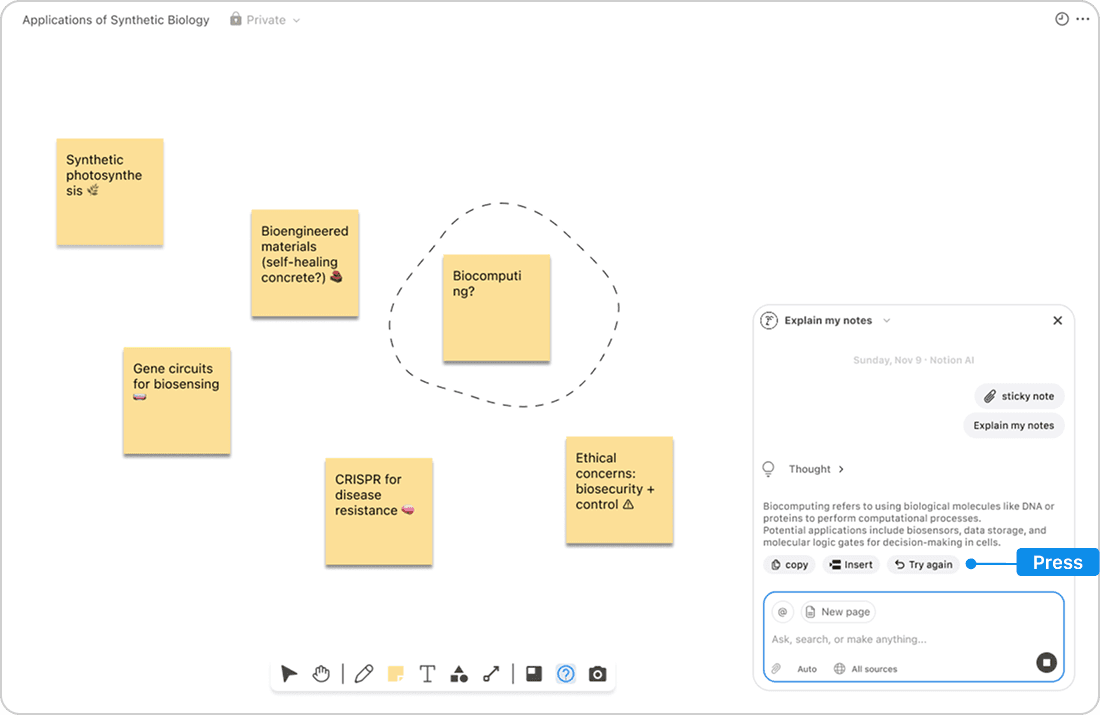
Users want to use AI Explanation.
Iteration 2: SIMplified language
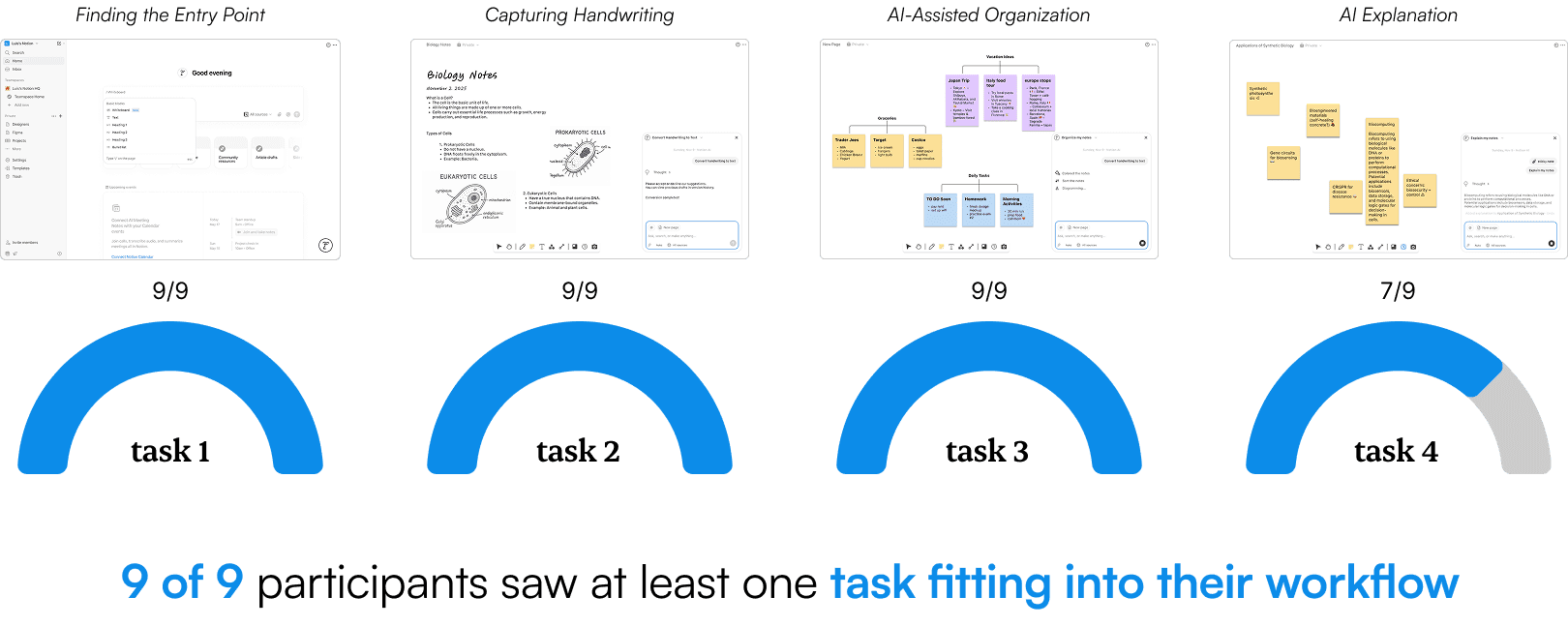
Impact
IF i had more time
Enhance AI Intervention
Usability testing showed that users want more control over how AI supports their productivity. Future iterations will explore adjustable AI interventions like pause-and-review flows and editable handwriting-to-text.
Vibe coding to implement feature
This could better simulate real product behavior and receive better feedback.
PERSONAL TAKEAWAY
🗺️ I took this product management class to explore different roles and build confidence in how I communicate as a designer. This project pushed me to do that by placing me as the sole UX designer on a four-person, highly cross-functional team.
🛠️ Working closely with Willie, a software engineer, helped me better understand technical feasibility and constraints, especially when design ideas initially felt more “magic-wand.” These conversations shaped how I scoped and prioritized features.
🧐 Collaborating with Jessie, a healthcare researcher, taught me the value of iterative research. We continuously refined interview questions as we learned more from participants, which helped us pivot and sharpen the feature direction over time.
🔖 From Michelle, a data scientist, I learned the importance of benchmarking and tracking metrics to evaluate whether our design decisions were actually improving the experience.
💪 Ultimately, being the sole designer meant learning how to synthesize diverse inputs and clearly explain design decisions and workflows to non-designers. Having the trust and autonomy to lead the design process helped me grow more confident in both my design thinking and communication.